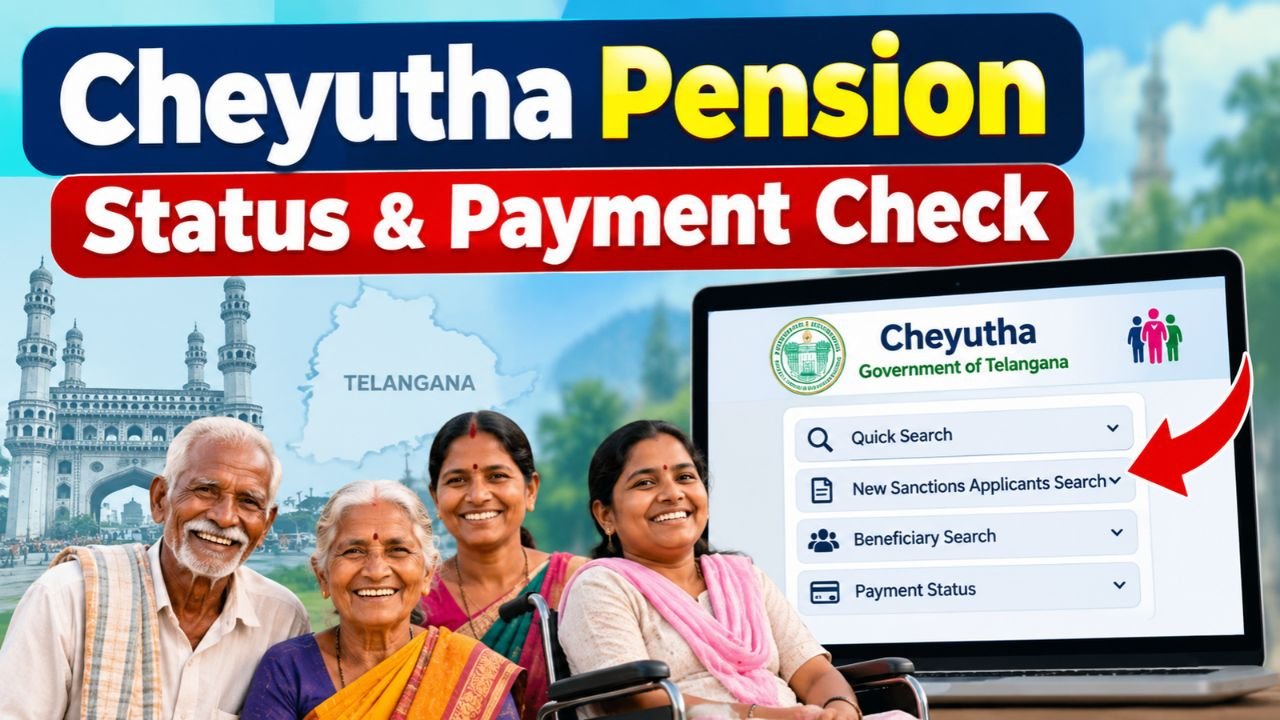
If you have applied for a Cheyutha pension in Telangana, you may want to know whether your application has been approved, is still under verification, or has already been sanctioned. Existing pensioners may also want to check their beneficiary details and monthly payment records.
The good news is that these details can be verified online using the available Cheyutha pension search services. Depending on your situation, you can search using your Application ID, Pension ID, Aadhaar number, or other available identification details.
Here is a simple guide to checking your Cheyutha pension status and payment details.
Methods to Check Cheyutha Pension Status Online
There are different search options for people who have recently applied and for those who are already receiving a pension.
1. For New Applicants
If you recently applied for a pension through Praja Palana or your local government office, you can check whether your application has moved forward or has been sanctioned.
Follow these steps:
- Go to the Cheyutha Pension Portal and select “Quick Search” from the dropdown menu. Then, click on “New Sanctions Applicants Search” to check the status of a newly submitted pension application.

- Enter your Application ID or Aadhaar ID (UID) in the relevant field and click “Search.” The available application and sanction details will then appear on the screen.
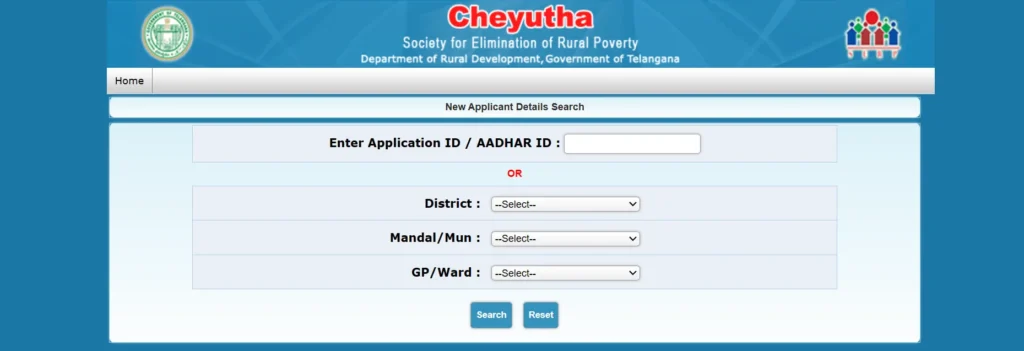
- Alternatively, select your District, Mandal/Municipality, and GP/Ward from the dropdown menus to search for your pension details.
If your application is still being processed, the latest available status may not show a final approval yet.
2. For Existing Pensioners
If you are already receiving a Cheyutha pension and want to check your beneficiary details, you can use the general search option.
To check your details:
- Open the Cheyutha General Search page.
- Enter any available identification number, such as your Pension ID, UID (Aadhaar), or SADAREM ID.
- You can also search using location details such as District, Mandal and Gram Panchayat, along with your name, where the option is available.
- Click Search.
- Your beneficiary information will be displayed if a matching record is available.
For pensioners with disabilities, the SADAREM ID can be used to identify the relevant beneficiary record.
How to Check Cheyutha Pension Payment Status
Checking the sanction status tells you whether your pension has been approved. But you may also want to know whether the monthly payment has actually been released.
The payment details can generally be checked using the Cheyutha acquittance or payment report.
Follow these steps:
- Open the Cheyutha Acquittance Data Report page.
- Select the required Financial Year.
- Choose the relevant Month.
- Select the search option, such as SKS ID or UID (Aadhaar).
- Enter the required identification number.
- Click Search.
- If the payment record is available, you can view the corresponding disbursement details.
This can help you confirm whether a particular month’s pension payment has been recorded.
Cheyutha Pension Amount
The monthly pension amount depends on the beneficiary category.
| Beneficiary Category | Monthly Pension |
|---|---|
| Senior citizens, widows, single women, weavers, beedi workers, toddy tappers and other eligible categories | ₹4,000 |
| Persons with Disabilities (PwD) | ₹6,000 |
The documents required may vary depending on the category. These can include a ration card, age proof, residence-related documents, or certificates related to a particular occupation or disability.
For persons with disabilities, a valid SADAREM certificate is generally an important document for establishing eligibility.
Note: Pension amounts, eligibility conditions and required documents can change based on government decisions. It is advisable to verify the latest requirements through official sources before applying or making any changes to your records.
Cheyutha Pension Status Showing “Record Not Found”?
Sometimes a search may return “Record Not Found” or another error even though you have submitted an application. This does not necessarily mean that your application has been rejected.
Some common reasons include:
- Aadhaar details do not match: Differences in your name or other personal details across Aadhaar, bank records and the pension application can cause problems during verification.
- Application verification is still pending: New applications may first go through verification at the local level. Until this process is completed, the details may not appear in the online search.
- Database update is pending: There can sometimes be a delay between the local verification of an application and the information being updated in the online system.
- Biometric or Aadhaar-related issues: Problems with Aadhaar authentication or beneficiary verification can also affect the status shown online.
If you have recently submitted your application, it may be worth checking again after the local verification process has been completed.
What to Do If Your Pension Payment Has Not Arrived
- If your pension has already been sanctioned but the monthly amount has not been received, first check the payment or acquittance record using your beneficiary details.
- If there is still a problem, you can contact the relevant local government office or pension authorities for assistance.
- For pension-related complaints, the Aasara Pension Scheme helpline is 1800-200-1001.
- Keeping your Application ID, Pension ID, Aadhaar/UID or SADAREM ID ready can make it easier to check your record or report a problem.
Overall, checking your Cheyutha pension status online is a convenient way to find out where your application stands and whether your monthly pension payment has been recorded.
Check this: Check Indiramma Illu Status, Application Details Online
1 thought on “Telangana Cheyutha Pension Status & Payment Check Online”